
How to Start a Korean-Style Photo Booth Business in 2026: From A to Z
By the Marketing Team, Chalkak Studio · Updated 24 September 2026
A Korean-style photo booth business is a simple one to describe: you place a self-service booth where people gather, and every customer pays per session to take photos and walk away with a printed photo strip. No staff run the machine. For malls, cafés, retail stores and dedicated self-photo studios, that means income during every opening hour.
This guide covers the whole path from A to Z: what the machines are, how they work, what they cost to run, where to put them, how the profit maths works, and what to check before you buy.
About us. This guide is written by Chalkak Studio, a manufacturer of Korean-style photo booth machines. We design and build the machines ourselves and sell them directly to business owners worldwide, with door-to-door shipping, brand customization and remote management software included. Operators use our machines in studios from Spain and Italy to the USA, the Philippines, Australia and Vietnam. Everything below comes from what we see working in those businesses.
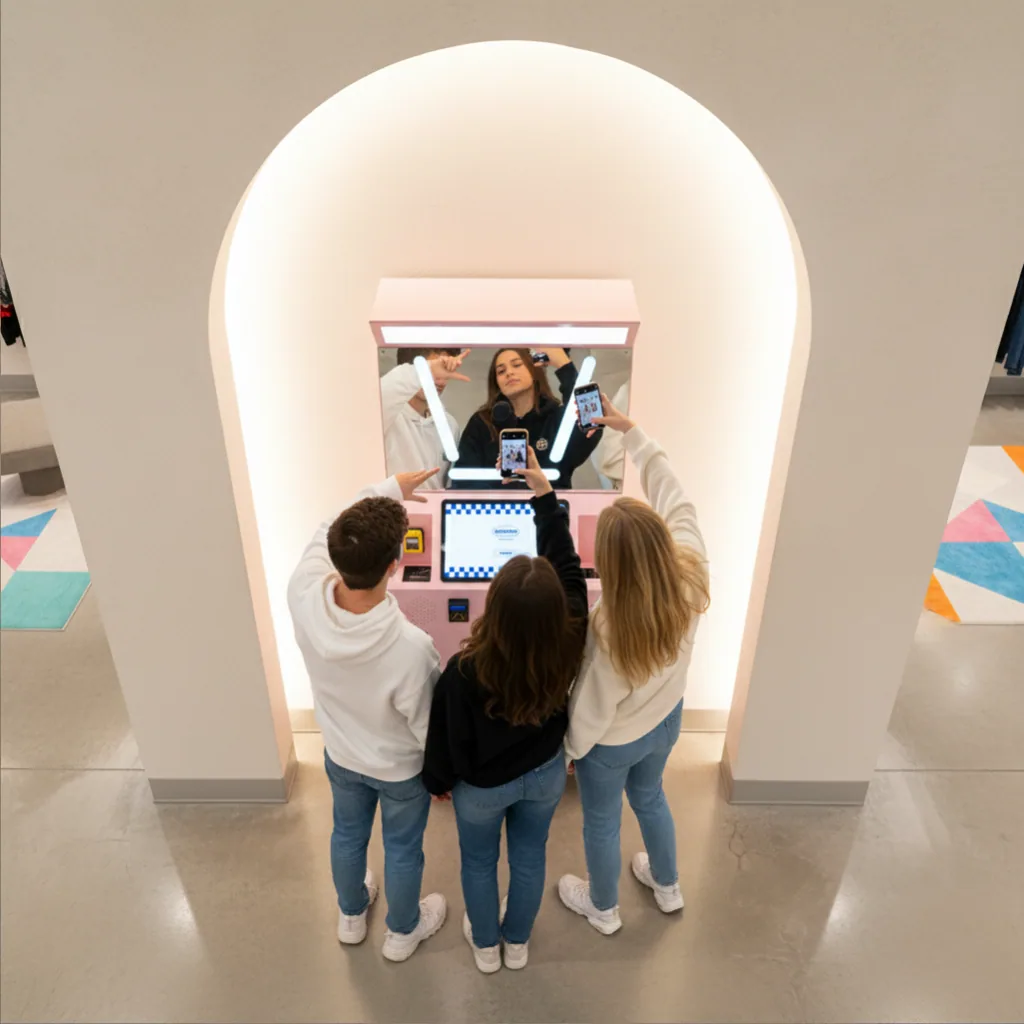
What is a Korean-style photo booth machine?
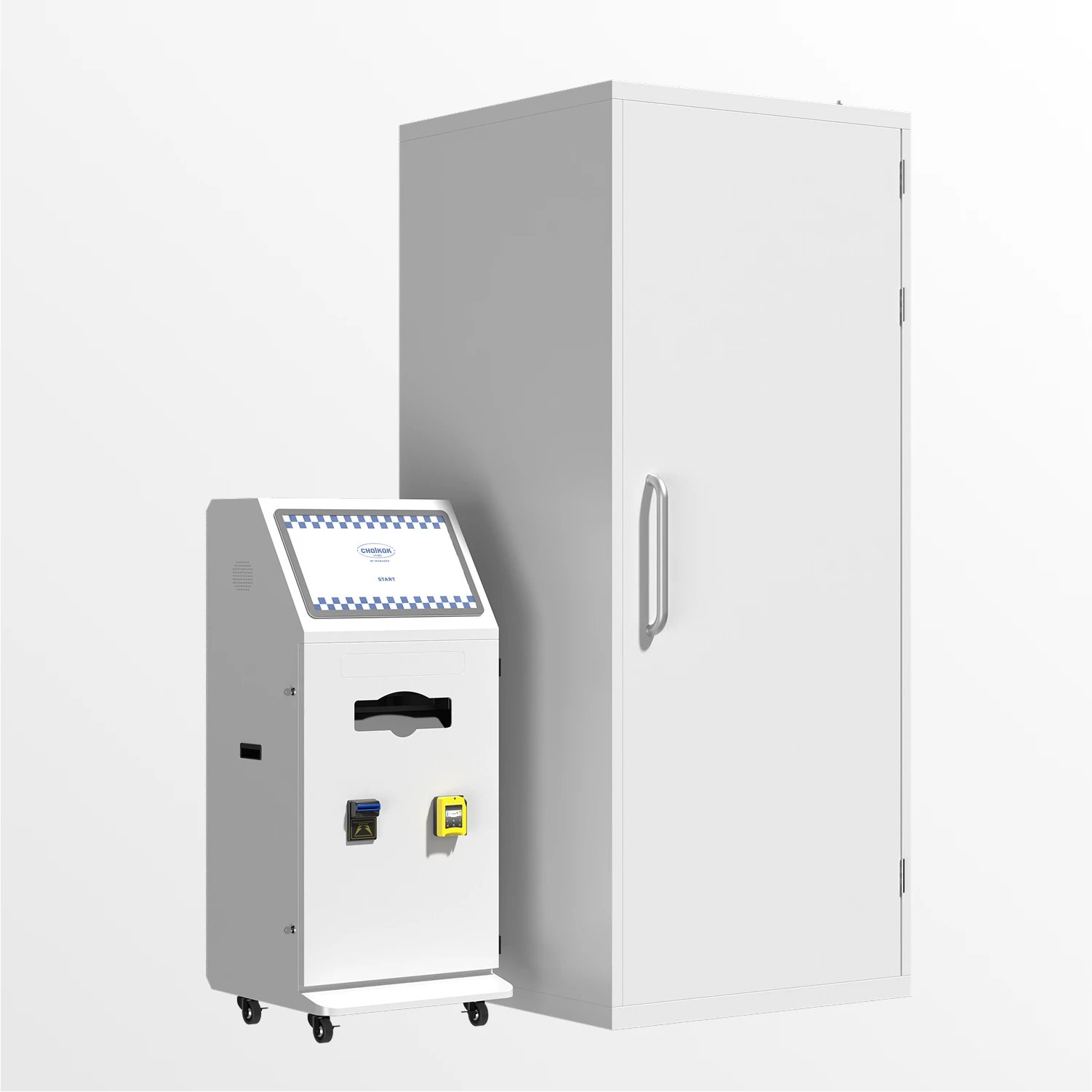
A Korean-style photo booth machine (also called a self photo booth machine or photo booth kiosk) is a booth built to sell photo sessions on its own. It combines a camera, lighting, a touchscreen, a printer and a payment system in one unit, so the transaction and the photo experience happen without an attendant.
That makes it a different business from an event rental photo booth. A rental booth is transported to weddings and parties, set up by staff, and paid for by the host at a flat fee. A Korean-style booth stays in one location, and every customer pays per session.
What makes the format "Korean" is the experience rather than the hardware. In South Korea, self-service booths became a social habit: friends and couples drop in, pick a frame, take a burst of photos and leave with a printed photo strip they keep in a phone case or a photo album. The booths are bright and clean, the frames are designed to be collected, and the whole visit takes a few minutes. Operators now open the same kind of studio in shopping districts around the world, often with several machines side by side, each offering a different camera angle or frame style.
For a business owner, the appeal is straightforward. The machine works while you do other things, customers treat the photos as an experience rather than a purchase, and a well-placed booth draws people into your space.
How a Korean-style photo booth machine works
The customer's POV
- Choose props and decorations. This is where the Korean style begins, and it happens before anyone touches the machine. Studios keep a prop wall by the entrance: headbands and hair clips, oversized sunglasses, novelty and plush hats, character ears, animal paw gloves, and handheld signs and speech bubbles. Some studios go further and lend jackets, uniforms or full outfits. Props cost very little and are the cheapest way to make your studio feel different from the one down the street, so choose a look and build the wall around it — cute, retro, Y2K, sporty, or tied to a character licence you can use. Customers pick their props, check themselves in the mirror, and go in already in the mood to pose.
- Choose a frame. On the touchscreen control panel, the customer picks a frame type, style and layout. Operators can load their own frame designs, so these can carry your brand or match a season or campaign.
- Pay. The customer pays by cash, card, mobile wallet or QR code, or redeems a voucher. The machine only starts once payment clears.
- Take the photos. The customer steps into the shooting area. Dimmable LED lighting keeps faces evenly lit, and a live preview on screen shows each shot before it's taken.
- Pick and finish. The customer selects their favourite shots and applies a filter. Chalkak machines include 14 professionally designed filters.
- Print. A dye-sublimation printer produces the prints in seconds. Dye-sublimation prints are dry the moment they come out and resist fading, which matters when customers put them straight into a bag or phone case.
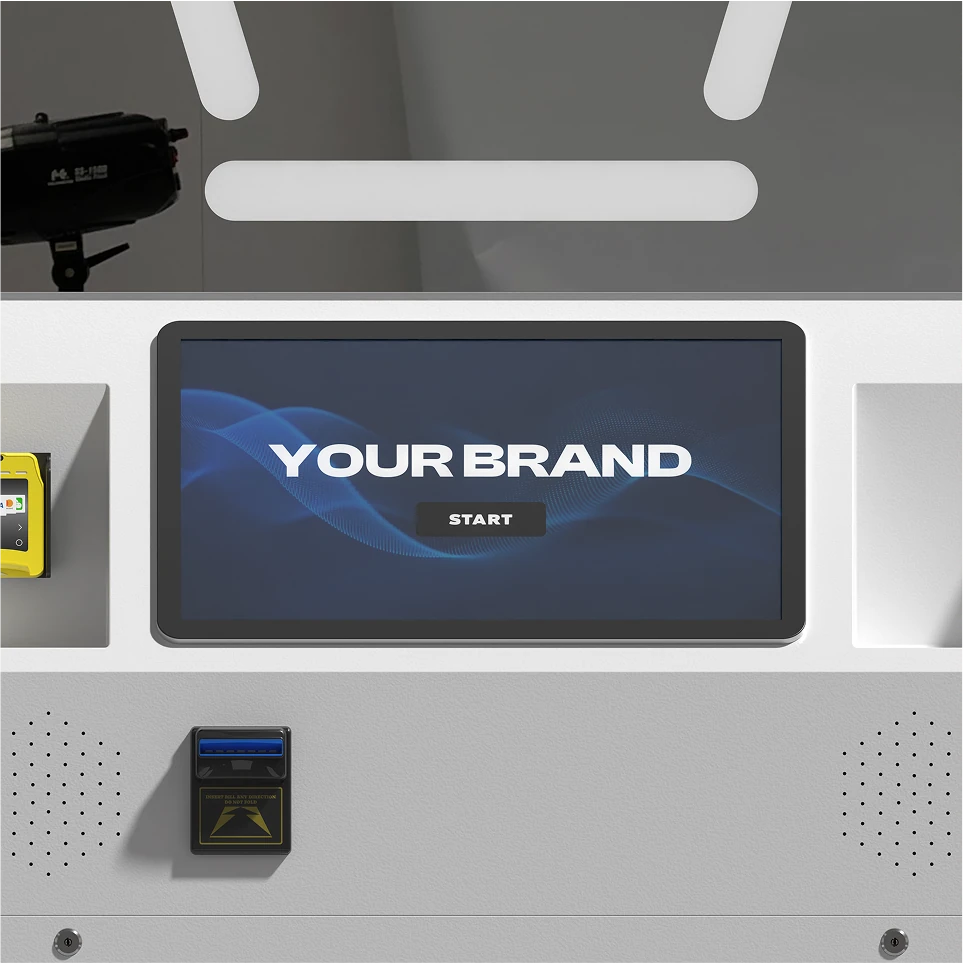
The owner's POV
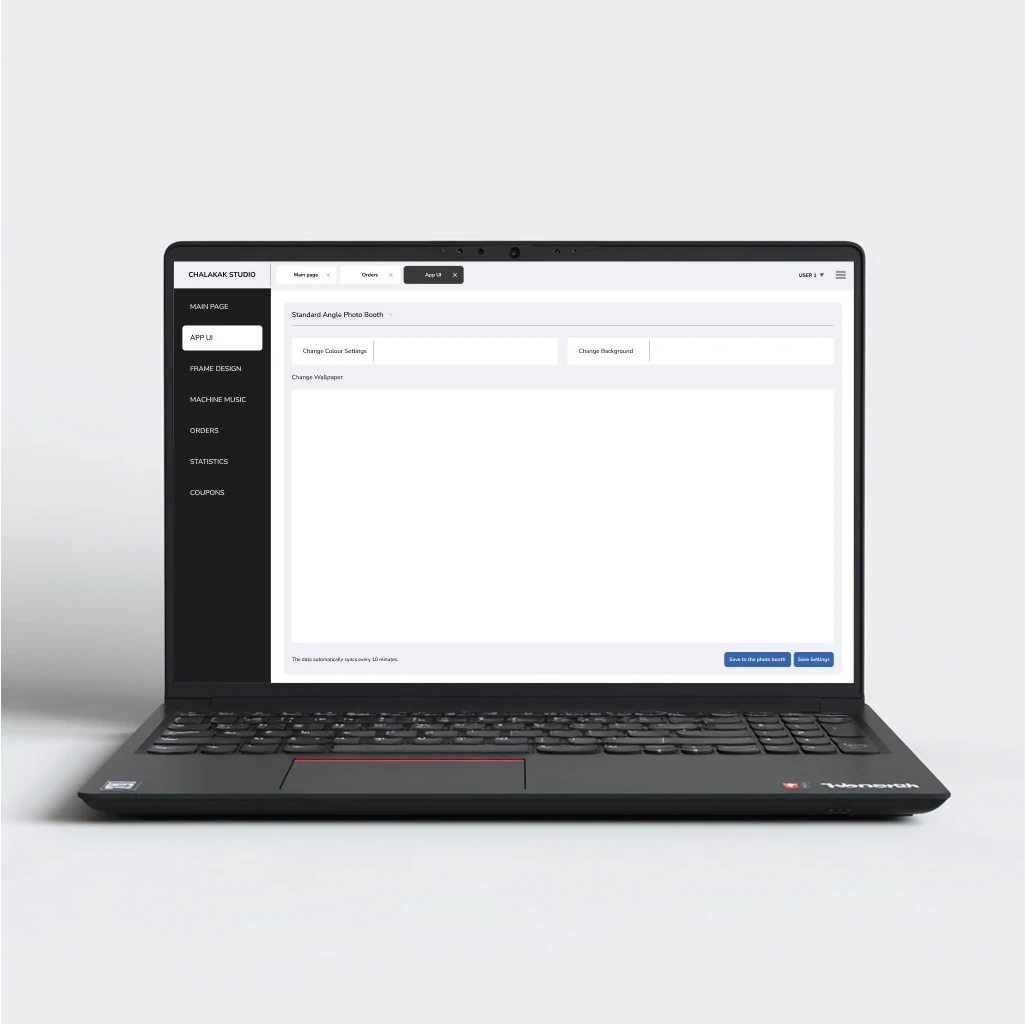
Behind the screen, the machine reports to management software you can open from a phone or computer. From there you can change prices, see sales, check how much paper and ink ribbon is left, and restart the machine, all without being on site. More on that below.
Types of photo booth machines
The biggest difference between models is camera angle, because the angle shapes the photo customers take home and how much floor space the booth needs. Every Chalkak model uses the same core hardware: a Canon EOS R100 mirrorless camera, a DNP dye-sublimation printer, dimmable LED lighting and a large touchscreen.
| Model | Photo style | Footprint | Weight | Best for |
|---|---|---|---|---|
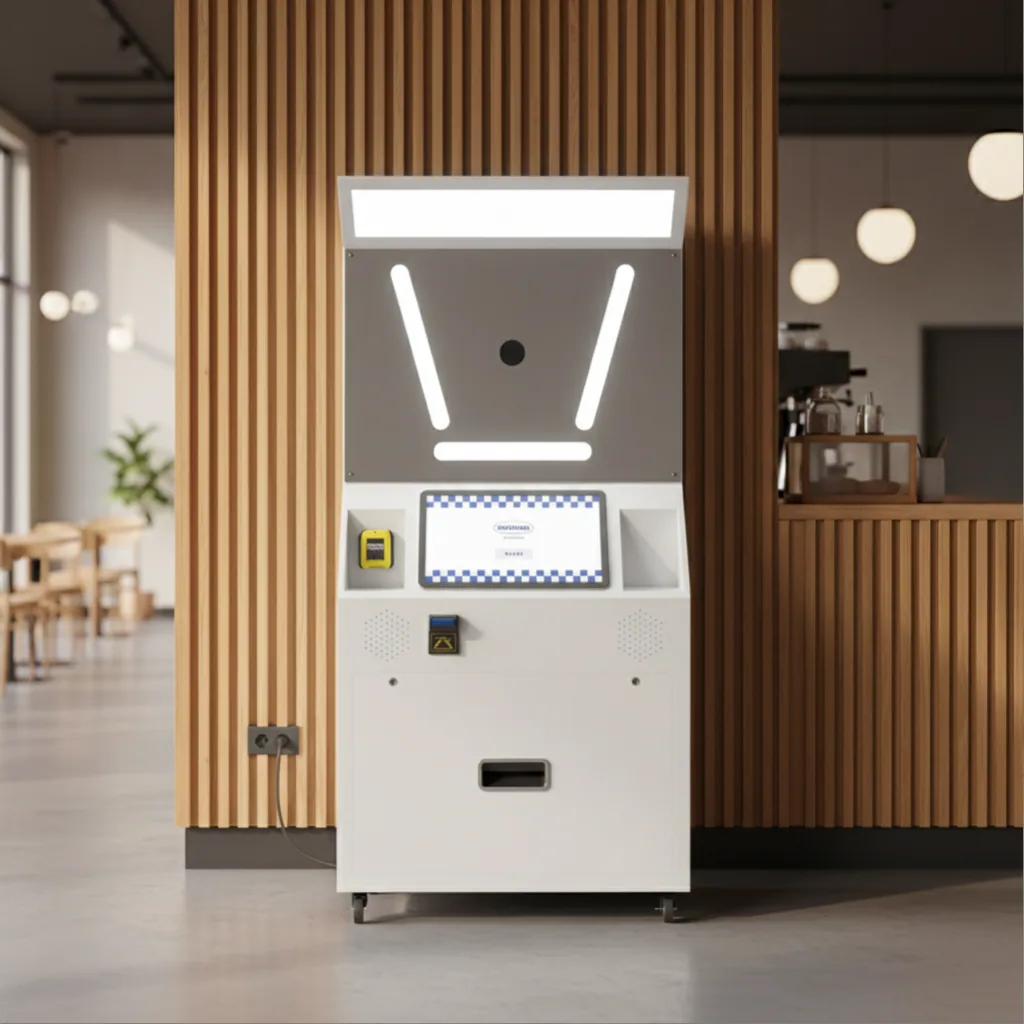
| Standard Angle Photo Booth | Classic eye-level Korean photo strip | 1.00 × 0.52 × 1.95 m | ~150 kg | Malls, retail and merchandise stores, campaigns |
| High Angle Photo Booth | Overhead "aerial selfie" | Photo box 1.05 × 1.05 × 2.50 m + control panel 0.60 × 0.52 × 1.32 m | 180 kg + 75 kg | Standalone studios, larger groups |
| Low Angle Photo Booth | Upward shot, full-body and dramatic | Platform 1.30 × 1.30 × 0.50 m + control panel 0.42 × 0.95 × 1.85 m | 300 kg | Pop-ups, bars, events |
| Portable Photo Booth | Eye-level, with external flash option | 1.62 × 0.70 × 0.52 m | 100 kg | Operators who move between events |
Standard Angle is Chalkak's best-selling self photo booth machine. It comes in three variants: a fixed-height camera, an Advanced version with adjustable camera height (so it works for seated and standing customers), and a Custom version with a mirrorless camera setup. It's also the only model that can be paired with a fully customised booth exterior.
High Angle shoots from above, which flatters faces and fits bigger groups in the frame. It's built as two units: a closed photo-taking box, which gives customers privacy, and a separate control panel. Plan for the extra space.
Low Angle shoots from below for bold, full-body images that do well on social media. It doesn't need a large backdrop, so it suits venues where a big enclosed booth wouldn't fit.
Portable is the most compact machine in the range, designed to be transported, set up and packed down quickly.
For side-by-side component details, see the full technical specifications or browse all Chalkak photo booth machines.
Payment options: cash, card and QR
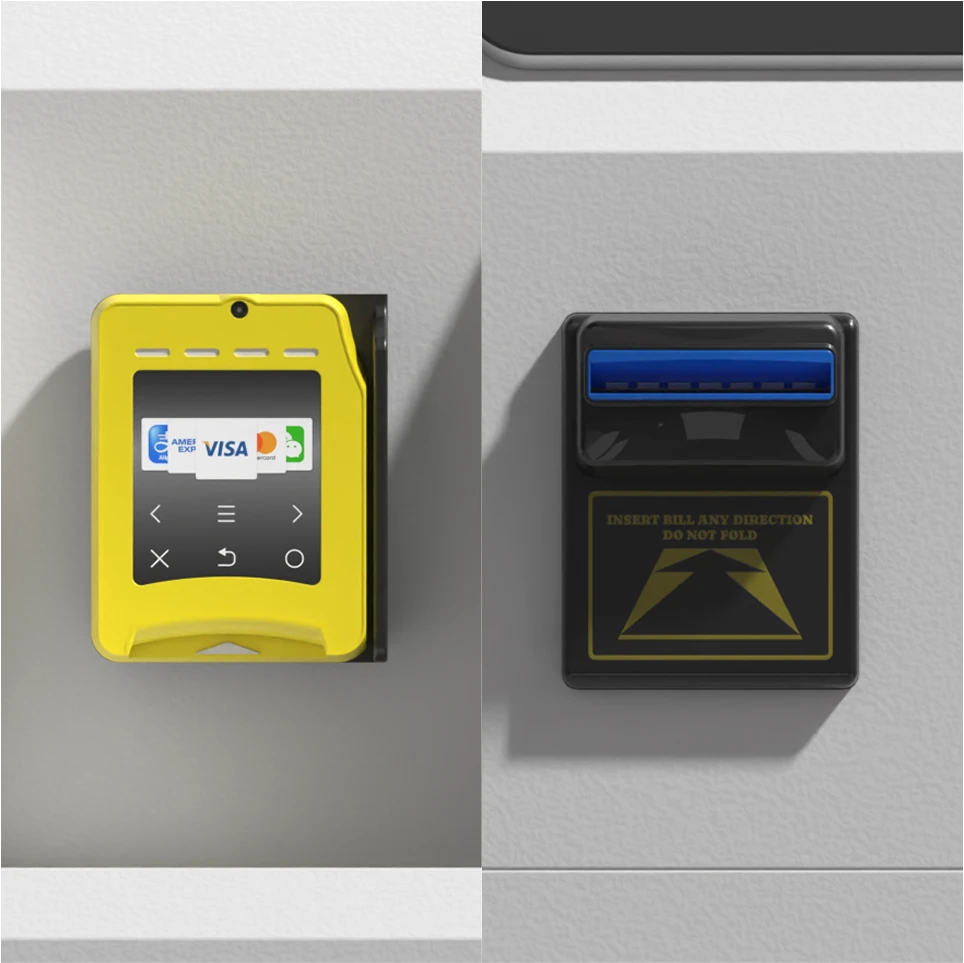
A self-service machine is only as good as its payment system. If customers can't pay the way they want, they walk away. Chalkak machines support three payment methods, which can run together:
Cash. An ICT bill acceptor handles notes. It can be configured to your local currency and the denominations you want to accept.
Card, mobile wallet and QR. Machines are compatible with the Nayax VPOS terminal, a cashless system designed for unattended machines. It accepts:
- Credit and debit cards (swipe, chip and contactless)
- Mobile wallets such as Apple Pay and Samsung Pay
- QR code payments
Nayax operates in most regions. Tell us your location and we'll confirm it works there.
Vouchers. You can generate free or discounted vouchers and set the quantity, value and expiry date. They're useful for launch promotions, loyalty rewards or sponsored brand events.
Can a photo booth run 24/7?
The hardware can. The machine handles the whole customer transaction by itself, and there's nothing in its design that stops it running around the clock. In practice, two things decide whether 24/7 makes sense for you.
Your venue's hours. A booth inside a mall or café runs on that venue's opening hours. Genuine 24-hour operation needs a location that is open and supervised at night, such as a 24-hour studio, a late-night entertainment district or a lobby with security.
Consumables and cleaning. No machine that prints is completely hands-off. Paper and ink ribbon run out, screens need wiping, and a paper jam needs a person. The busier the booth, the more often someone has to visit it.
What the software lets you do remotely
Every Chalkak machine comes with machine management software, available as a web app on both desktop and mobile:
- Adjust prices and session timing in a few clicks, e.g. for weekend or holiday pricing
- Track paper and ink ribbon levels in real time, so you restock before you run out
- See transaction logs, revenue and saved images
- Get fault alerts if the camera, printer or internet connection drops
- Restart or power the machine on and off remotely
- Set access levels so staff see only what they need
What still needs a person
- Replacing paper and ink ribbon when the software says they're running low
- Wiping the screen and keeping the booth clean
- Clearing the occasional paper jam or checking the internet connection
For that reason we recommend having someone nearby, such as a shop assistant or café staff member, who can handle simple issues. Think of it like maintaining a computer, not like staffing a counter.
Support and warranty
- 1-year hardware warranty covering inherent faults in the machine
- Technical support by email or phone, with critical issues monitored outside standard working hours
- User manual and training materials for setup and maintenance
- Chalkak Studio Platform: manuals, video tutorials and troubleshooting guides in one dashboard, plus up to 20% off consumables such as paper and ink ribbon
Is a Korean photo booth business profitable?
It can be, but profit comes almost entirely from where the machine sits and how many sessions it sells. The machine sets the ceiling; the location decides whether you reach it.
The profit formula
Monthly profit = (sessions per day × price per session × days open) − consumables − location cost − payment fees
Payback period (months) = machine cost ÷ monthly profit
The five inputs that matter
- Sessions per day. Driven by foot traffic and visibility. This matters more than any other number.
- Price per session. Set it to your local market. You can change it remotely at any time.
- Consumables per session. Paper and ink ribbon. A Chalkak paper and ink set costs $136 and produces 1,400 prints, which works out at under $0.10 per print. You can also source media locally.
- Location cost. Fixed rent, or a percentage of revenue shared with the venue.
- Payment fees. Card processing fees on cashless transactions.
One set of paper and ink lasts roughly a month in a working booth, which is about 45 prints a day. That's a useful sanity check when you estimate your own footfall.
Worked example
Consumables below are our real 2026 figure. The session numbers and the price per session are examples, not Chalkak customer results — replace them with figures from your own market.
| Input | Quiet location | Average location | Busy location |
|---|---|---|---|
| Sessions per day | 15 | 35 | 60 |
| Price per session | $8 | $8 | $8 |
| Days open per month | 30 | 30 | 30 |
| Gross revenue | $3,600 | $8,400 | $14,400 |
| Consumables (1 print per session at $0.10) | −$45 | −$105 | −$180 |
| Location cost (20% revenue share) | −$720 | −$1,680 | −$2,880 |
| Card fees (3%) | −$108 | −$252 | −$432 |
| Monthly profit before machine cost | $2,727 | $6,363 | $10,908 |
If each session prints two copies, double the consumables line. Even then it stays the smallest cost in the table.
Three things stand out. First, a busy location earns four times more than a quiet one on the same machine. Second, the location's revenue share is your largest ongoing cost by far, so it's worth negotiating hard. Third, consumables are almost a rounding error, which is why print quality is never the place to cut corners.
There's also a small monthly software and service fee per machine, which covers hosting and support. Contact our sales team for machine pricing, payment terminal options and the full cost breakdown for your country.
Chalkak customers get a financial planning template to model all of this for their own situation. Ask for it when you request a quote, or read our photo booth business guide.
Your plan for opening a studio, step by step
- Pick your market and format. One machine inside an existing business, or a dedicated self-photo studio with several machines? The first is cheaper to test; the second earns more per visitor.
- Scout locations before you buy. Count foot traffic at the times you plan to open. A quiet spot cannot be fixed with a better machine.
- Choose your models. Standard Angle is the reliable earner. Adding a High or Low Angle machine gives customers a reason to try more than one booth in the same visit.
- Confirm the practical details. Power, wired internet, indoor space, door widths for delivery, and whether your currency and card terminal are supported.
- Order and customise. Send your electrical specifications and finalise the order: number of machines, payment terminals and consumables. Prepare your frame designs and interface branding at the same time so they're loaded before delivery.
- Install and test. Set the machine up, run test sessions, set your pricing in the software, and train whoever will be nearby on paper changes and jams.
- Stock your prop wall and market the opening. Props, a mirror and good signage cost little and shape how the studio feels. Then: custom frames with your studio name, an opening promotion using free vouchers, and an Instagram and TikTok presence. Customers post their photo strips, which is how most studios get discovered.
Best locations for a photo booth machine
The best locations share three traits: steady foot traffic, people with time to spare, and a social reason to take a photo.
- Shopping malls. High traffic all week, with peaks at weekends and holidays.
- Cafés and dessert shops. Customers are already relaxed and in groups.
- Retail and merchandise stores. Especially fashion, beauty, K-pop and character goods, where the photo fits the shopping trip.
- Cinemas and entertainment venues. Groups often arrive early and wait.
- Dedicated self-photo studios. Several machines with different angles in one space, the classic Korean studio model.
- Event and campaign spaces. Brand pop-ups and activations, where you can load custom frames for the occasion.
Site requirements
Before signing a lease or venue agreement, check:
- Power: a permanent power supply. Machines run on 110–120V (60 Hz) or 220–240V (50 Hz).
- Internet: a stable wired connection. Machines can run offline but lose key features such as remote monitoring and card payments.
- Indoors only: the machines aren't designed for outdoor use.
- Space and lighting: enough room for the model you choose (see the table above), with customers able to queue without blocking walkways.
How to choose a photo booth machine supplier
A photo booth kiosk for sale can look similar online whether it costs a little or a lot. The differences show up after installation. Use this checklist when comparing suppliers:
| Check | Why it matters | Question to ask |
|---|---|---|
| Camera and printer brands | Print quality and reliability drive repeat customers | Which camera and printer models are inside? |
| Payment in your currency | Customers leave if they can't pay | Does the bill acceptor take my currency? Is the card terminal supported in my country? |
| Remote management software | Unattended machines need remote control | Can I change prices, see revenue and get fault alerts from my phone? |
| Customization | Branded frames and UI set you apart from nearby booths | Can I remove the supplier's branding and upload my own frames? |
| Warranty and support | Downtime costs sales every hour | How long is the warranty? How do I reach support? |
| Shipping and customs | Import costs and paperwork can surprise you | Do you handle customs clearance and insurance? |
| Consumables | Paper and ribbon are ongoing costs | Where do I buy consumables, and at what price? |
| References | Proof the machines work in real businesses | Can I see operators using your machines? |
Buying from Chalkak Studio
Chalkak Studio designs and manufactures Korean-style self-service photo booths and sells them directly to businesses worldwide.
- Global shipping, door to door. We have shipped to over 30 countries and handle tax, customs clearance and insurance until the machine arrives. Sea and air freight are both available.
- Manufacturing time: 5–20 days, depending on how much customization you order.
- Full brand customization. Hardware finish, every screen of the user interface (with no Chalkak branding), and up to 24 frame designs per frame type, 120 in total, loaded at no extra cost when you order.
- Custom exteriors. Send us design references, colours and LED preferences; we'll produce a technical blueprint and mockup for approval before production.
- Operators in many countries. See how studios use our machines: @Matikstudios (Spain), @fluffestudio (USA), @Sunniesstudios (Philippines), @yepoda.it (Italy), @mayfilm_adelaide (Australia) and @flashfun.ht (Vietnam).
Frequently asked questions
View all FAQ's- 01
Yes, we ship globally and have delivered to over 30 countries. We offer door-to-door delivery and handle tax, customs clearance and insurance of the goods until they reach you. Both sea and air shipping are available, depending on how urgent your order is. Customs processes and shipping requirements vary by country.
- 02
- 03
- 04
- 05
- 06
- 07
- 08
- 09
- 10
Get a quote for your machine
Tell us where you plan to install the machine, which model interests you and how many units you need. We'll recommend the right setup, confirm payment compatibility for your country and send a quote.