How to Price Photo Booth Sessions
How much to charge per photo booth session: set a base price, add extra prints and premium formats, use vouchers well, and adjust from real sales data.
Read article →
Chalkak Studio
By the Chalkak Studio team · 28 September 2026
Customers look at your frame before they look at your machine. On a Korean-style photo booth the frame is the product people carry home. It is on their fridge, in their phone case and in the photo they post that night. A good frame sells the next session. A tired one makes your booth look like everyone else's.
This guide covers what we have learned helping operators in 30+ countries design frames that print cleanly, load first time and keep customers coming back. It is written for owners, not designers, so you know what to ask for and what to check before you upload.
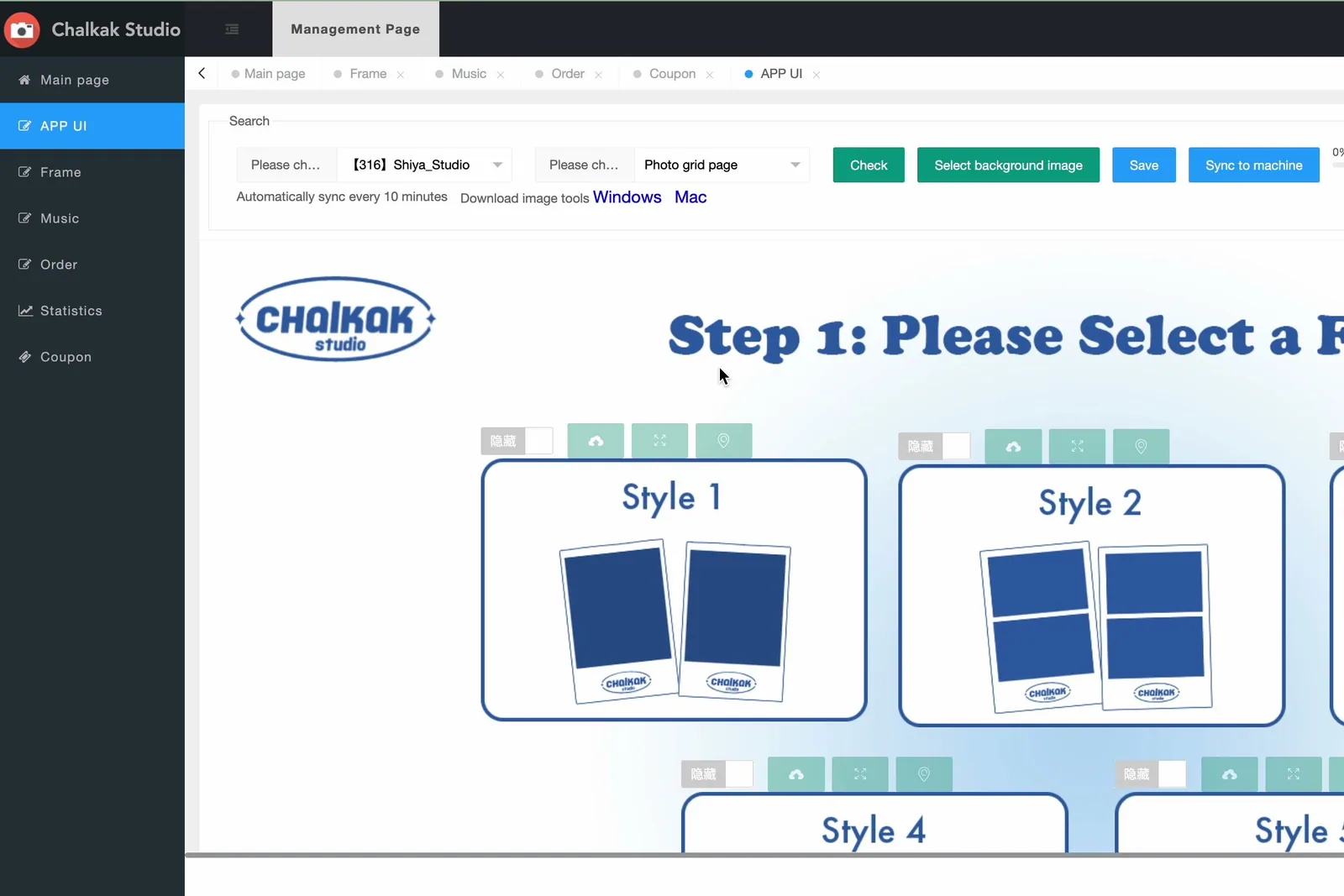
A frame has three jobs.
Many operators rotate frames on a schedule, and a new frame drop makes an easy post for a studio's Instagram or TikTok feed.
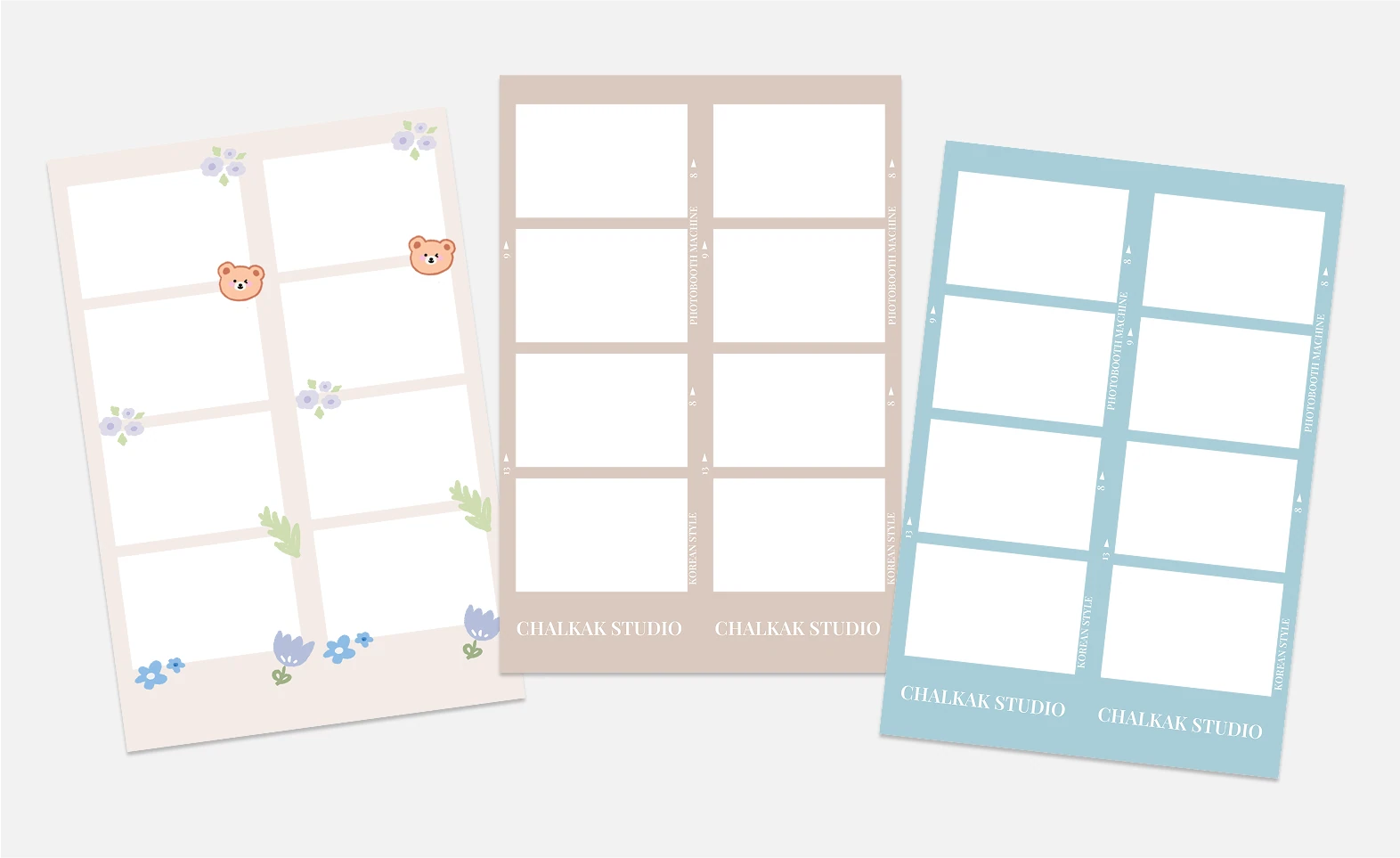
Before anyone opens a design tool, decide the layout. Each Chalkak machine supports several frame types, each with its own photo slots and size.
Frame layouts differ by machine, so check the options for your model on our design page or the product pages for the Standard Angle and High Angle.
You can load up to 24 designs per frame type, and up to 120 designs across all frame types. That is plenty. Most studios do better with 6 to 10 strong designs than with 40 that look alike.
Most frame delays have nothing to do with taste. They come from files that do not match the template. These are the problems we see most often, and how to avoid them.
Photo booth printers take RGB files. A CMYK file from a print designer can shift in colour or be rejected on upload. Ask your designer to set up and export in RGB from the start.
Each frame type has fixed dimensions, and the software expects them exactly. A file that is a few pixels off can stretch, crop or fail. Always start from the official template for your model rather than a canvas sized by eye. Ask our team for the template for your machine.
The photo slots must be truly transparent (PNG with an alpha channel), not white or "nearly white". If the windows are filled, customers' photos end up hidden behind the design.
If your designer uses a custom font, convert text to outlines or flatten it before export. Otherwise the font may be substituted and your carefully chosen lettering turns into a default typeface.
Large files slow uploads. Export at the template size and compress sensibly.
Printers trim a little at the edges. Keep logos, handles and important text inside the safe area on the template, away from the cut line.
A five-minute check against this list before you send files will save most of the back-and-forth that holds up a launch.
The photo is the hero. Busy patterns behind the photo windows compete with faces. Keep strong decoration to the borders and leave space around each slot.
Frames are chosen on a touchscreen but judged on paper. Thin pastel lines and tiny text can disappear on a dye-sub print. Print a test strip before you publish a new design, and look at it at arm's length.
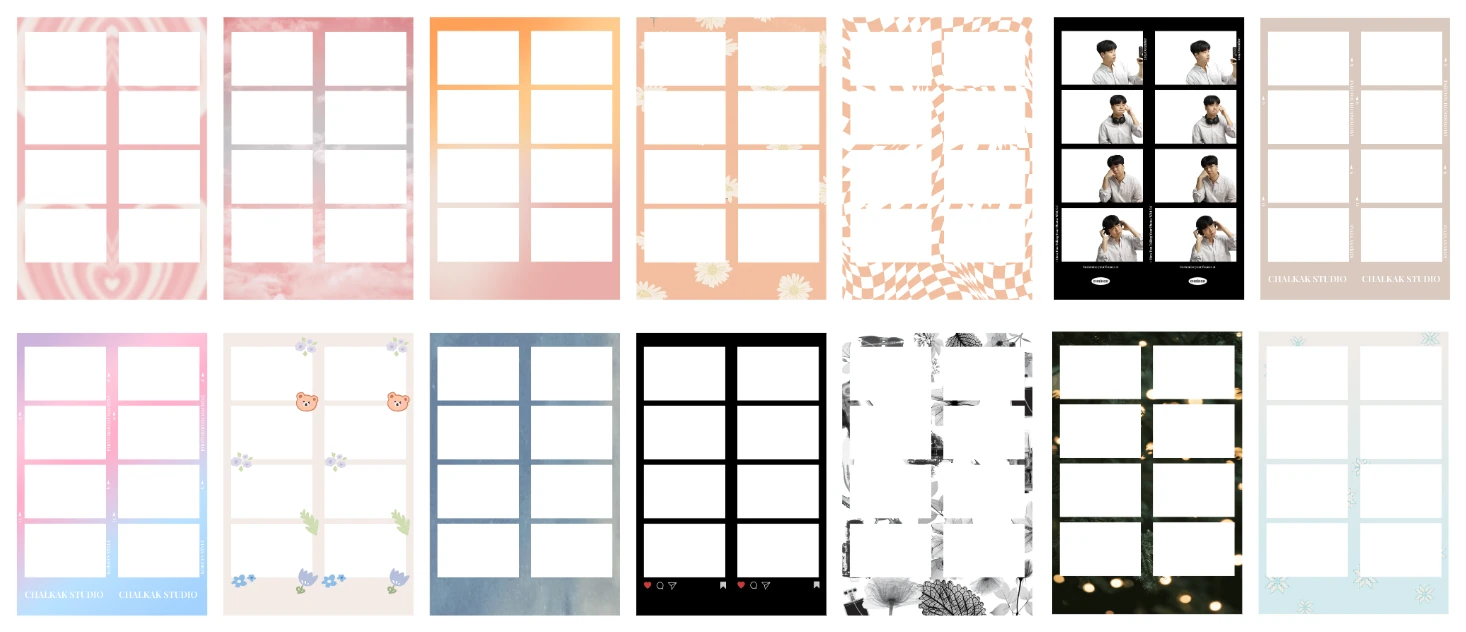
Offer a mix: one or two clean brand frames, one cute or character-style design, one film or vintage look, and one seasonal or limited design. That covers most moods without overwhelming people on the selection screen.
Put your Instagram or TikTok handle where it survives cropping in a phone photo of the strip. That is how the print turns into followers.
Rotating frames is one of the few marketing tools that costs almost nothing and works in every market.
Changing frames remotely is part of the Chalkak software, so you can update designs without visiting the booth. See what the software does.
The frame is only half of what customers see. The screens they tap through (welcome, frame choice, payment, filters, QR download) can carry your branding as well. On Chalkak machines every screen in the flow can be customised, so the whole experience feels like your studio rather than a generic kiosk. Keep the interface consistent with your frames: same colours, same fonts, same tone of voice.
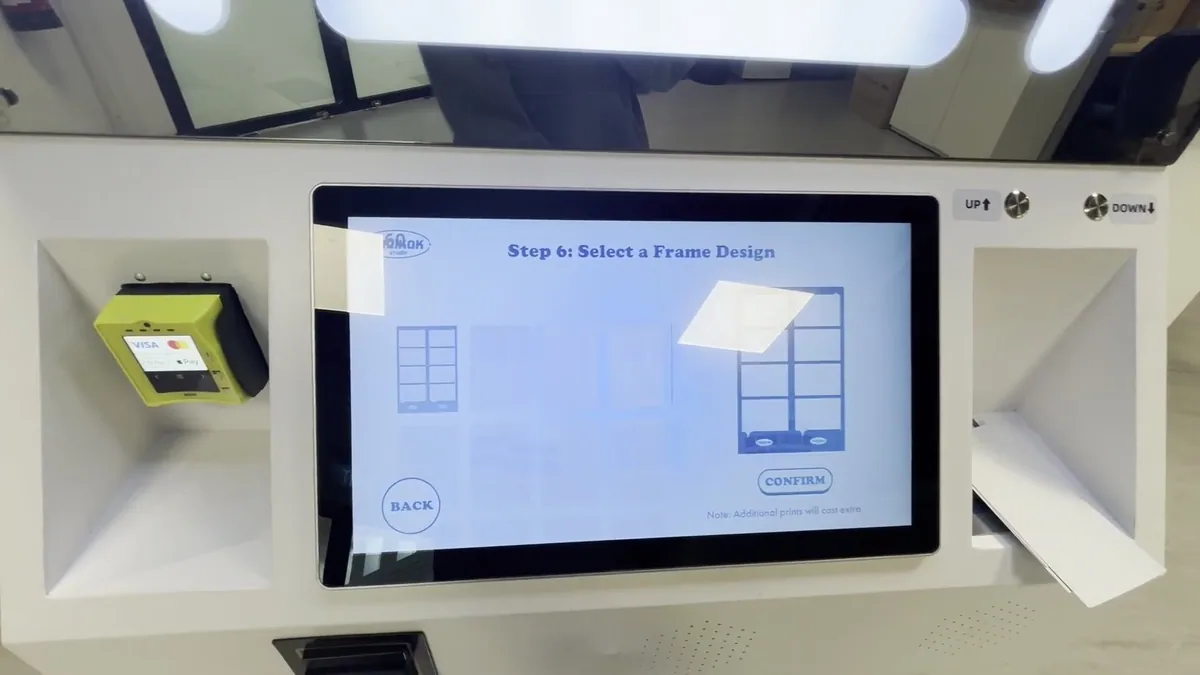
You have three options.
Whichever route you choose, test-print every new design before it goes live. For more ideas, see our earlier post on unique photo booth frame design.
It depends on the machine and frame type. Always design from the official template for your model rather than a generic size; our team can send it to you.
Our free design and marketing guide includes the Frame Design Guide, marketing ideas for photo booth businesses and a look at new machine trends.
Planning a new studio? Compare types of photo booths, read our Korean photo booth business guide, or get a written quote.
How much to charge per photo booth session: set a base price, add extra prints and premium formats, use vouchers well, and adjust from real sales data.
Read article →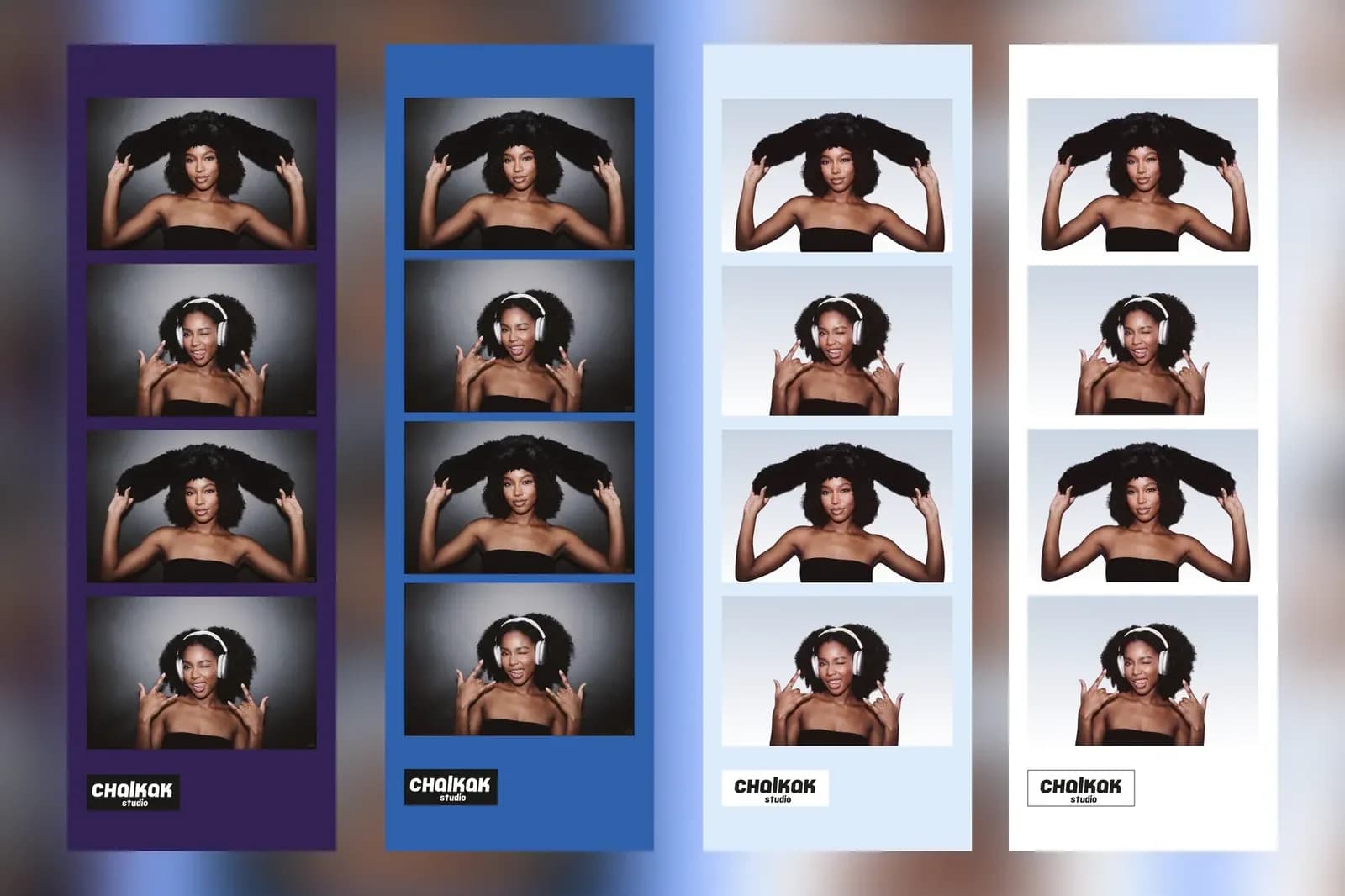
Why Korean-style photo booths spread worldwide, what US search data shows, and the formats coming next, with examples from Chicago, Europe and the Philippines.
Read article →
A practical daily, weekly and monthly maintenance checklist for unattended photo booths, from a team that runs its own booths in Singapore.
Read article →